
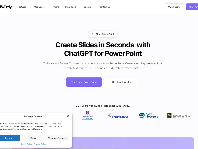
I’ve been using Twistly.ai for my presentations lately, and honestly, it’s been a game‑changer for my workflow. I love that it works right inside PowerPoint — no jumping between tabs, no exporting, no weird formatting issues. I just type what I need, and it builds out clean, organized slides that actually look good. It’s fast too, which is huge when I’m juggling work, school, and everything else.
What surprised me most is how easy it is to feed it different types of content. I’ve thrown in notes, PDFs, even random text, and it still manages to turn everything into something presentable. For someone who does not enjoy spending hours tweaking layouts, this has been a lifesaver.
That said, I did notice some mixed things online about trust scores for the site. My personal experience has been smooth, but I still stick to uploading non‑sensitive stuff just to be safe. The tool itself, though? Super helpful, especially if you’re constantly making decks or just want to save time.
Overall, Twistly.ai has made my PowerPoint life way easier, and I’m definitely keeping it in my rotation.


Claim your business profile now and gain access to all features and respond to customer reviews.

Twistly is an AI PowerPoint add-in for creating, editing and enhancing presentation with ease.
