
(The Enterprise solution is even worse.)It's a software FULL of flaws. The code is not optimized at all. Documents sometimes don't even load at all, or take more than 3 minutes to fully show on the screen. Enterprise:After paying more than THREE THOUSAND dollars on an Enterprise license, the support focuses on getting access to my files instead of fixing the issues "To reproduce the issue." However, despite them informing that they are working on it, the issue seems never fixed. The support is also limited to 10 requests, once you've reached it, they wash their hands.


Claim your business profile now and gain access to all features and respond to customer reviews.

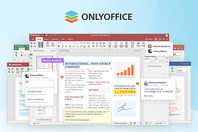
ONLYOFFICE Docs is an open-source office suite designed for collaborative document editing. It supports text documents, spreadsheets, presentations, PDFs, and fillable forms. The suite is compatible with OOXML formats (Word, Excel, PowerPoint).
ONLYOFFICE provides collaboration tools, including real-time co-editing, comments, user tagging, version history, and document comparison. Users can work on the same file simultaneously, track changes, and exchange feedback directly within the document. Access rights can be flexibly configured to manage who can view, edit, or comment on each file.
ONLYOFFICE can be integrated into over 40 business platforms, including Nextcloud, Alfresco, Confluence, Jira, Drupal, WordPress, Moodle, etc. or used as part of the ONLYOFFICE DocSpace collaborative platform for structured room-based document management.
ONLYOFFICE Docs includes an optional AI assistant plugin that connects to various AI models such as ChatGPT, DeepSeek, Claude, Google Gemini, and others. It can help generate, improve, or analyze text, translate content, find keywords, explain terms, summarize or rewrite selected fragments, and recognize text from images (OCR). The plugin also supports image generation and can assist with creating spreadsheet formulas and macros.
The solution is available in both self-hosted and cloud-based versions, offering flexibility depending on data control and infrastructure preferences. Users can also access ONLYOFFICE on mobile via the free ONLYOFFICE Documents app for iOS and Android, or work locally using ONLYOFFICE Desktop Editors, available for Windows, Linux, and macOS.
See more
