
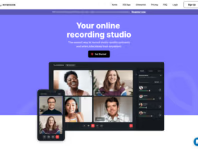

Review Time
Best Podcast editing toolI use it for EVERYTHING. The transcripts are very accurate, and it's one of the best tools of its kind. Having had a few hurdles on how to use riverside when I first started, I reached out to customer service, and they got back to me right away to help resolve my issue

In many ways it's absolutely wonderful. It makes creating and editing videos ridiculously easy. The AI features are amazing. Clearly built by an absolute genius. I'd thoroughly recommend it. The only problem is that it's SO SLOW. Of course uploading and downloading takes time. But the recording studio and editor often run at a glacial speed as well, and I sometimes spend more time waiting for them than I do actually working on the video -- literally. Hours get wasted. And it's not like I have time to waste. So it's brilliant, but also very frustrating.

I liked riverside before, but since the last update I am a true fan: So easy and helpful. Plus: I had a technical issue and the well-informed support replied within only a few hours on a Sunday morning! Never expected such a level of support! I also like riverside's atmosphere. You can feel it in the live webinars. Simply cool. Thank you riverside!
Good tool for remote video or audio recordings. The tracks are recorded individually and saved locally on the user's computer until they are saved (with a time delay) in the Riverside cloud. This ensures that the recording is uninterrupted even in the event of minor Wi-Fi transmission errors. It is easy and intuitive to use, even for guests. Unfortunately, the help center can only be contacted in English, but it is very helpful.
I think when things go well it’s easy to say that Riverside is great but when they don’t I’m not sure yet how to evaluate. I have a video stuck in processing for days now. I Cant édit it or do anything with it. There is clearly a glitch and no response from Riverside to several emails. I’ll be back with another review when I see how they handle the tougher stuff. I’ve lost days in my schedule because of this glitch and have not received help. Yet.

For me, Riverside makes working easier in many ways: During recording, I only need to focus on my guest, myself, or the conversation. After the recording and the follow-up conversation, the transcript is already finished, and the editing is done as well. I just need to quickly check where I might want to make changes and if I like the sound, and I'm already done. Done to the point that I can export the project (in 4K!).If I feel like creating teasers, they're made with just the click of a button and are also almost immediately ready to use.We would never have offered our podcast with video without Riverside. Now the system handles almost the entire production process. That's truly impressive.
I avoided making videos for such a long time because I found the process too complex. (1) Getting set up with a teleprompter to record things, and (2) most especially, editing the output to look and sound reasonable.Riverside solves both of those problems for me, to the point that I actually enjoy making videos now!! Thanks.
It's been super simple to start a Podcast with limited knowledge and as a complete rookie in editing and hosting. I really appreciate the simple tools and the great customer service. The link to publishing on spotify is also amazing.
I have been using Riverside for my podcast for the past 8 months and it has been easy to navigate and operate. The customer service team is very approachable and always provides timely solutions. Highly recommend for anyone looking for a recording tool and platform that is intuitive and supportive.
Claim your business profile now and gain access to all features and respond to customer reviews.


helsam.dk

southwalesappliancerepairs.com

stayatapex.com


alamanahtravel.co.uk

octopusenergy.fr
mint-service.co.uk


akaipro.com


purseworthy.ee

thegenealogist.co.uk

umbleburgers.com